Excel-to-PDF conversion turns an XLSX spreadsheet into a PDF document, and on PDF Toucan it runs on our servers rather than in your browser. Upload one file or several, and the tool fits your table to the page width so columns are not cut off. Long tables carry on across the following pages. Excel to PDF free of charge, with no account and no watermark.
What you can do with Excel to PDF Free
Fit every column onto the PDF page
Wide spreadsheets often lose their last columns when printed. This converter fits the table to the page width instead, so every column lands on the PDF page. You see the whole sheet, edge to edge, exactly as your data is laid out in the XLSX file.
Keep related columns together
Related columns belong side by side. The layout keeps them grouped rather than splitting a table apart at an awkward spot, so a row still reads as one row. Totals stay next to the figures they sum, and labels stay next to their values.
Continue long tables onto the next pages
A long sheet does not stop at the bottom of page one. Rows continue onto the following PDF pages in order, so a price list, a budget or an export of several hundred lines stays readable from the first row to the last.
Make wide tables larger and easier to read
Wide tables come out larger and easier to read after conversion, instead of shrinking into tiny type. Numbers stay legible on screen and on paper, which helps when you send a quote to a client or hand a report to someone who avoids spreadsheets.
Combine several spreadsheets into one PDF
Drop in more than one XLSX file and get them combined into a single PDF. Monthly sheets, department reports or a set of exports arrive in one document, in the order you added them, so you share one file instead of a folder full of attachments.
How to Excel to PDF free online
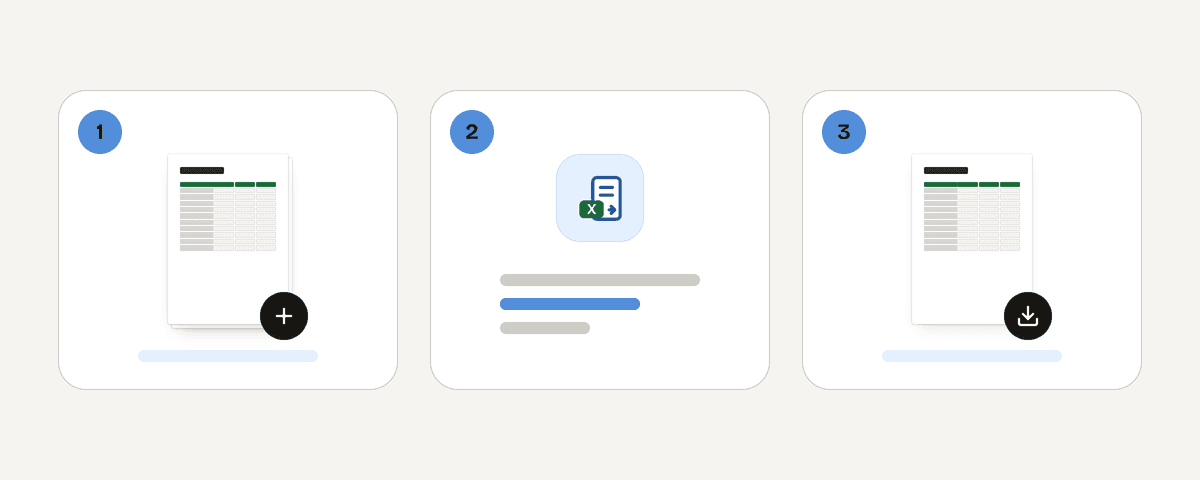
Upload one or more XLSX spreadsheets
Drag your files onto the upload area or pick them from your computer. XLSX is the input format here, and you can add several files at once. Nothing needs to be installed, and there is no sign-up form between you and the converter.
Fit the table to the PDF page width
The converter measures your columns and fits the table to the page width. Columns stay together, and rows that do not fit continue onto the next page. Wide sheets come out larger, so the figures stay readable in the finished PDF.
Create one readable PDF from your spreadsheets
Start the conversion and your files are processed on our servers in the European Union. Several spreadsheets can be combined into one PDF, so a set of sheets becomes a single document rather than a pile of separate files.
Download the finished PDF
Save the PDF to your computer or phone. There is no watermark on the pages and no account to create. Once the download is done, your uploaded file is removed from the server, so the next step is yours alone.
What happens to your spreadsheet during conversion
This conversion runs on our servers, not in your browser, so your XLSX file leaves your device. It travels over HTTPS to servers in the European Union and is processed in memory. The file is never written to disk or stored. It is deleted as soon as you download the PDF, and at the latest after ten minutes. No account is needed, so nothing is tied to a profile. The tool costs you nothing, and ads pay for the site. If a sheet is very sensitive, decide for yourself whether an online tool fits.
Processed in memory on our servers in the European Union. Your file is never stored: it is deleted as soon as you download the result (at the latest after 10 minutes).
Excel to PDF Free – frequently asked questions
How do I convert Excel to PDF for free?
Upload your XLSX file, let the converter fit the table to the page width, and download the result. Excel to PDF free means no account and no watermark on PDF Toucan; ads pay for the site. The conversion itself happens on our servers in the European Union.
Can you convert Excel to PDF without signing up?
Yes. There is no sign-up, no email address and no login step. You pick your spreadsheets, convert, and download the PDF. Because no account exists, nothing is saved to a profile, and the uploaded file is deleted as soon as your download finishes or ten minutes later.
Does this work with XLSX files only?
XLSX is the input format this converter accepts, and PDF is what comes out. Older or alternative spreadsheet formats are not handled here, so save or export your sheet as XLSX first, then upload it. You can add several XLSX files in one go.
Will my Excel columns get cut off in the PDF?
No, the layout fits your table to the page width instead of trimming it. Columns stay together rather than being split at odd points, and rows that run past the bottom of a page continue on the following pages, so the full sheet ends up in the PDF.
Can I turn multiple spreadsheets into one PDF?
Yes. Add several XLSX files and they can be combined into one PDF, in the order you upload them. That is handy for monthly reports or a set of exports you want to send as a single document rather than as several attachments.
What if my table is wider than the page?
Wide tables are scaled to the page width and come out larger and easier to read, so you do not have to set print areas by hand. The converter handles the fitting, keeps related columns together, and continues long tables onto the next pages.
Why can't I convert Excel to PDF with this tool?
Check the file first: it must be an XLSX spreadsheet, and a password-protected or damaged file cannot be read. A very large upload or a dropped connection can also stop the job. Save a fresh copy from your spreadsheet program, then upload it again.
Once your PDF is ready, the rest of PDF Toucan is one click away. Use merge to place the converted spreadsheets behind a cover page or a signed contract, and compress when the file is too heavy to email. Both are free, need no account and add no watermark, just like this converter.
Last updated September 19, 2026