To convert PDF to PDF/A online free means uploading a regular PDF to a server that rewrites it in the archival PDF/A format, so the document still opens correctly years from now. PDF Toucan does this for you: pick PDF/A-2b, PDF/A-1b, or PDF/A-3b, convert, and download the result. Every file is checked with veraPDF. No account, no watermark, no cost.
What you can do with Convert PDF to PDF/A
PDF/A-2b for broad archive compatibility
PDF/A-2b is the recommended setting and the most compatible choice. Most archive systems accept it, so it is the safest pick when nobody has told you otherwise. It is preselected here, which means you can add your files and convert without touching the options at all.
PDF/A-1b when an older system asks for it
PDF/A-1b exists for older systems with stricter intake rules. Pick it only if you are specifically asked for it, for example by a court filing portal, a records office, or an internal policy that names the version. Otherwise, PDF/A-2b will serve you better.
PDF/A-3b for documents with attached files
PDF/A-3b is the option for documents stored together with attached files, such as e-invoices that carry a structured data file inside the PDF. If your workflow depends on those attachments surviving the archive, choose PDF/A-3b instead of the default.
Every result validated with veraPDF
After conversion, each file is validated as the PDF/A version you selected using veraPDF, and the result is shown next to the file. That gives you a concrete check before you hand the document to an archive, rather than a guess about whether the conversion worked.
Searchable text when pages must be rebuilt
Some PDFs cannot be made compliant as they stand. When that happens, the pages are rebuilt as images and the text stays searchable, so you can still find words in the archived file. The interface tells you which files were handled this way.
Several PDFs, converted one by one
You can add multiple PDFs in a single session, and each file is converted on its own into a separate PDF/A file. Nothing is combined, so a folder of contracts stays a folder of contracts. Download each converted document when the run finishes.
How to convert PDF to PDF/A online
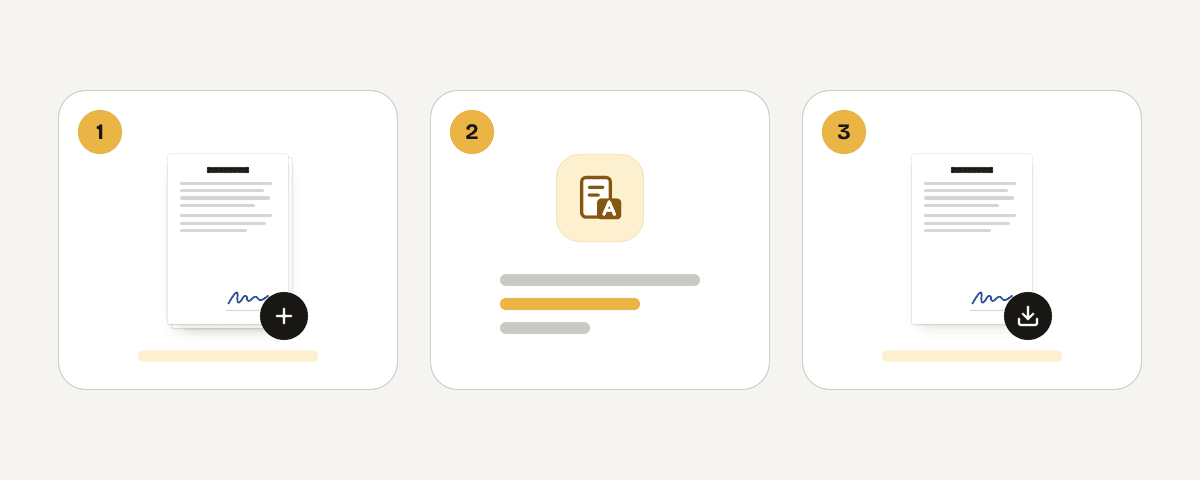
Add the PDFs you want to archive
Drop one PDF or several into the file area, or browse for them. Only PDFs are accepted here, since PDF/A is a variant of the same format. Check that you have the final versions, because archiving a draft is easy to regret later.
Choose the required PDF/A version
Open the PDF/A options and confirm the version. PDF/A-2b is already selected and suits most archives. Switch to PDF/A-1b only when an older system demands it, or to PDF/A-3b when your document is stored with attached files such as an e-invoice.
Convert and read the validation result
Press Convert to PDF/A and wait for processing to finish. Each file reports whether it was validated as your chosen version with veraPDF. If a file's pages were rebuilt as images to make it compliant, that is stated too, along with a note that the text is still searchable.
Download each PDF/A file
Save the converted documents to your computer. Files are produced individually, so you download each PDF/A file rather than one combined document. Open one to confirm it looks right, then pass the files to your archive, client, or filing system.
Tested on a 31-page report
We converted a 31-page A4 report (883 KB, embedded fonts, links and bookmarks) to PDF/A-2b on 2 November 2026. Every result is checked with veraPDF, the reference validator for PDF/A, before it is offered for download.
| What we checked | Result |
|---|---|
| Time | 9 seconds on our server |
| Result | PDF/A-2b, all 31 pages, 263 KB |
| Validation | Passed veraPDF |
| Text | Kept as text, still searchable |
| Links and bookmarks | Kept |
When a file cannot be converted cleanly, the tool rebuilds its pages as images with a text layer and validates the result again, instead of handing you a file that only claims to be PDF/A.
What happens to your file during conversion
PDF/A conversion runs on our servers, not in your browser. Your PDF travels over an HTTPS connection to servers in the European Union, where it is processed in memory. It is never written to disk and never stored. The file and its result are deleted as soon as you download the converted document, and at the latest after 10 minutes. No account is created, nothing is added to the output page, and the converted PDF/A carries no watermark. Ads keep the site free. Even so, for documents covered by strict confidentiality rules, check your own organization's policy on uploading files before you convert.
Processed in memory on our servers in the European Union. Your file is never stored: it is deleted as soon as you download the result (at the latest after 10 minutes).
Convert PDF to PDF/A – frequently asked questions
How do I convert PDF to PDF/A free?
Add your PDF, keep or change the PDF/A version, press Convert to PDF/A, then download the result. The tool is free, needs no account, and adds no watermark. Conversion happens on our servers in the European Union, and each file is validated with veraPDF before you download it.
Which PDF/A version should I choose for archiving?
PDF/A-2b in most cases. It is the recommended setting here and the most compatible choice, and most archive systems accept it. Only move away from it when a specific rule names a different version, such as PDF/A-1b for an older system or PDF/A-3b for documents with attachments.
Can I convert several PDFs to PDF/A at once?
Yes. Add up to 20 PDFs (up to 100 MB in total) in one go. Each file is converted on its own into a separate PDF/A document, so nothing is merged. You then download each converted file individually, and every one of them is validated with veraPDF.
Does the converted PDF remain searchable?
Yes. If a document has to be rebuilt as images to meet the PDF/A requirements, the text remains searchable in the result, and the interface says so for the affected files. Not every PDF needs that treatment; many convert without their pages being rebuilt.
Is PDF/A-2b compatible with most archive systems?
Yes. PDF/A-2b is described in the tool as the most compatible choice, and most archive systems accept it. That is why it is preselected. If your recipient has not specified a version, leaving PDF/A-2b in place is the sensible default for long-term storage.
When should I use PDF/A-3b instead?
Use PDF/A-3b when the document is stored together with attached files, such as an e-invoice that carries a structured data file inside the PDF. If your document has no attachments, or nobody has asked for PDF/A-3b, stay with PDF/A-2b.
Do I need an account to use this PDF/A converter?
No. There is no sign-up and no email address required. Open the page, add your files, and convert PDF to PDF/A online free. Advertising pays for the service instead of registration or fees.
Will the PDF/A file have a watermark?
No. Nothing is stamped onto the pages, and no branding is added to the output. What you download is your own document rewritten in the PDF/A version you selected, with the veraPDF validation result shown on screen rather than printed into the file.
Archiving usually comes at the end of a longer job. If you are collecting several documents into one record, run merge first and convert the combined file afterwards, since this tool converts each PDF separately. If reviewers need to cite specific pages, add page-numbers before you archive, because a PDF/A file is meant to stay as it is. Whenever a record has to last, you can convert PDF to PDF/A online free here. PDF Toucan keeps these steps in one place, free and without an account.
Last updated November 2, 2026